Xolunex
Xolunex – Honest. Transparent. Reliable.
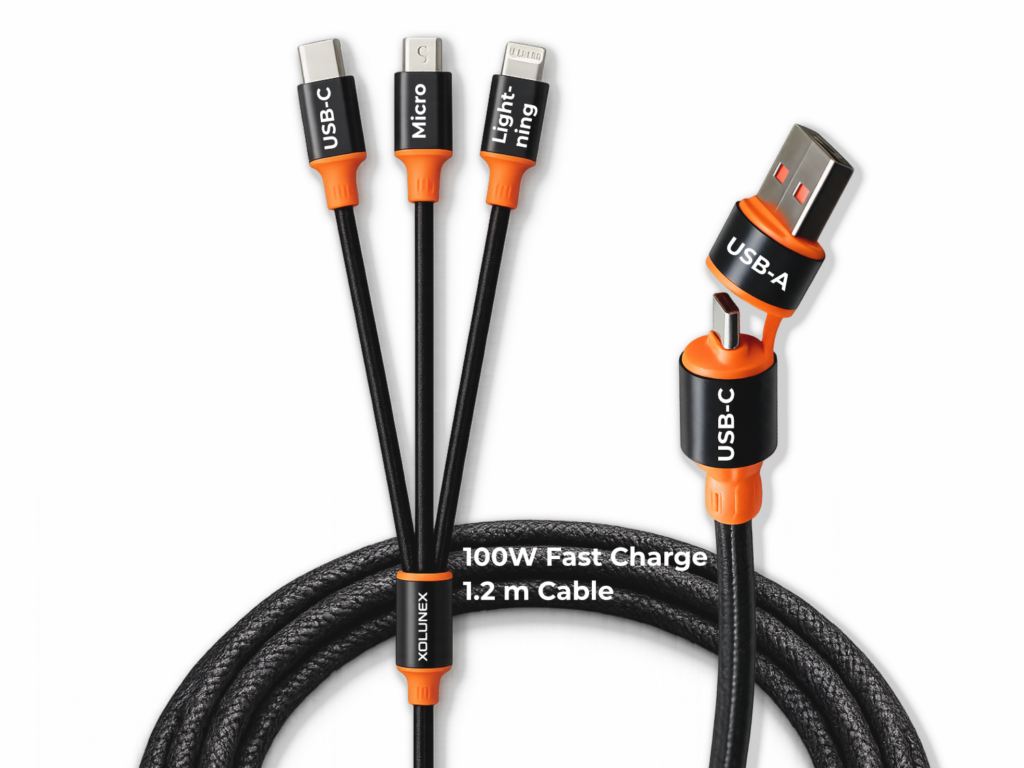
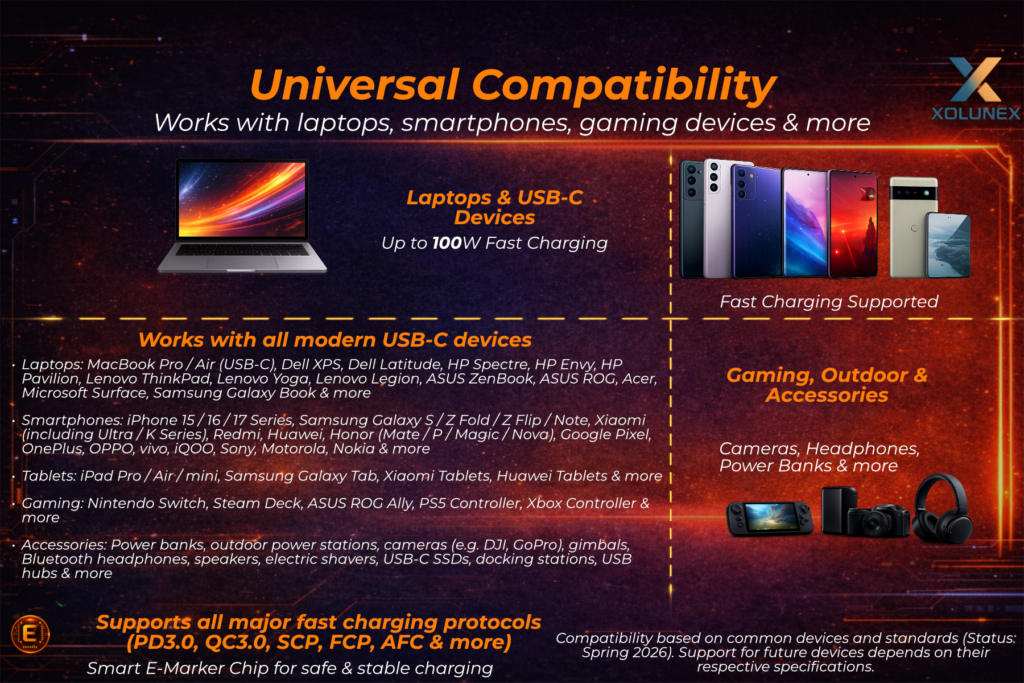
- ✔ Up to 100W power (USB-C to USB-C) – achieved only through the interaction of cable design, charger, device, and fast-charging protocols; not a constant output
- ✔ Simultaneous charging of multiple devices – intelligent power distribution depending on usage and demand
- ✔ Data transfer up to 480 Mbps (USB 2.0) – stable in single-device use, system-dependent when multiple devices are connected
- ✔ E-Marker chip & premium build quality – for safe communication, controlled power delivery, and long-lasting performance
Xolunex – honest, transparent and reliable.
Many cables promise high performance, but in reality it often remains unclear when this performance is actually achieved and what it depends on. Claims like “100W fast charging” are often presented without context – without explaining under which conditions this performance is even possible.
Xolunex takes a different approach.
It’s not about the highest numbers – it’s about transparent and realistic performance.
We don’t just explain what the cable can do, but also how and when it actually works.
This includes, for example:
- the differences between USB-C and USB-A
- the role of charging protocols
- how power is distributed when multiple devices are connected
- and the technical limits of charging and data transfer
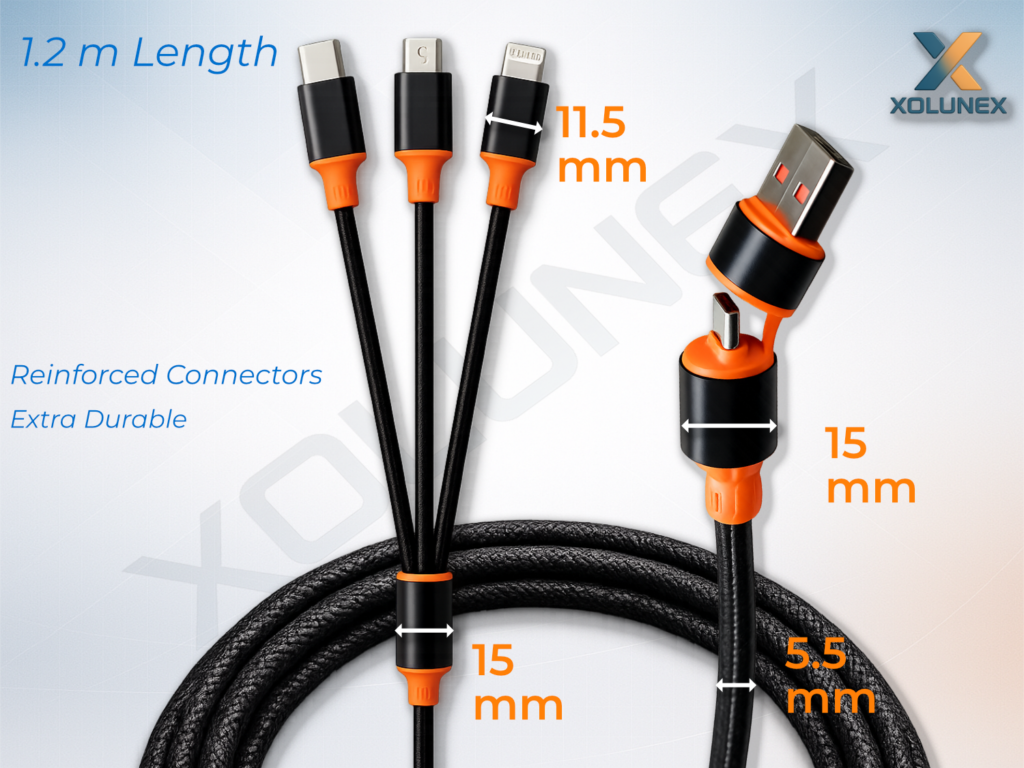
A cable that doesn’t just “somehow work” – but delivers exactly the safety, transparency, and performance you need in everyday use.
👉 Others leave things unclear – we explain.
With Xolunex, you choose a product built on quality, transparency, and real-world performance.
🧩 Chapter 1 – What a good cable really needs to deliver – and why “100W” is often not what you think
“100W fast charging” is one of the most common terms used for modern charging cables.
Many assume that a cable with this specification automatically always delivers exactly that level of performance.
In reality, this is not the case.
The specification does not describe a constant output, but only the maximum possible performance under optimal conditions.
Whether this performance is actually achieved always depends on the overall system – not just the cable itself.
At first glance, a charging cable seems like a simple accessory – plug it in and it works.
In practice, however, it is precisely this cable that determines how fast, stable, and safe your devices are charged, and whether data can be transferred reliably at all.
Especially with modern devices such as laptops, smartphones, tablets, or power banks, the requirements have increased significantly: more power, different connectors, various fast-charging protocols, and increasingly the simultaneous use of multiple devices.
That is why a good cable today is much more than just a simple connection between two devices.
It must transfer power cleanly, correctly recognize devices, communicate properly with chargers and end devices, and adapt to different usage situations.
The actual charging performance is never created by the cable alone, but always through the interaction of multiple factors.
This point is often underestimated.
Whether a device charges quickly, slowly, stably, or not at all does not depend on a single component, but on how well the charger, device, connection type, charging protocol, and cable quality work together.
A cable is not an active power source.
It does not generate energy and does not determine on its own how many watts ultimately reach the device. Its task is to transfer the available power as efficiently, safely, and with minimal loss as possible.
That is exactly why a high-quality cable can significantly improve usage – but it cannot replace a weak charger or a technically limited device.
At its core, the performance of a cable depends on several key factors:
- Charger (power supply) – how much power is actually provided
- End device – how much power can actually be used
- Charging protocols – how charger and device communicate
- Connection type – e.g. USB-C or USB-A with different technical capabilities
- Cable design and quality – crucial for stable, safe, and low-loss transmission
The better these factors work together, the higher and more stable the achievable performance will be.
1.2 Influencing factors – What performance and functionality really depend on
The actual performance of a cable is not determined by the cable alone.
It is always the interaction of multiple factors:
🔌 Charger – the source of available power
Das Netzteil ist immer der Ausgangspunkt.
The charger is always the starting point.
It determines how much power can be fed into the system in the first place.
In simple terms:
If a charger can only deliver 18W, even a high-quality 100W cable cannot turn that into 100W. The cable can only pass on what is actually available.
This is where the first misunderstanding often arises. Many people see the specification on the cable – for example “100W” – and automatically expect that every connected device will be charged with 100W. In reality, the specification only describes the maximum power the cable can transmit under suitable conditions, not what is automatically delivered in every situation.
The charger influences charging performance through, among other things:
- its maximum output power
- the supported charging protocols
- the quality of voltage regulation
- stability under load
A powerful charger therefore not only provides more power, but also creates the technical foundation that allows modern fast-charging functions to be used at all. If the charger is too weak or does not support certain fast-charging protocols, the charging performance will automatically be limited to a lower level.
This is important to understand:
The cable transfers power – the charger provides it.
📱 End device – the actual power consumer
In addition to the charger, the end device plays an equally important role.
Not every device draws the same amount of power – and not every device is designed to be charged with high wattage at all.
A smartphone, tablet, laptop, power bank, or even a small Bluetooth speaker all have completely different requirements. While many smaller devices can be reliably charged with relatively low power, more demanding devices such as laptops require significantly more energy for fast and efficient charging.
A key principle applies here:
It is not the cable that determines how much power a device draws, but the device itself.
The end device decides within its technical limits how much power it accepts. Even if a powerful charger and a high-performance cable are available, only as much energy will be used as the device supports and requires.
In practice, this means:
- A smartphone usually charges with significantly less power than a laptop
- A tablet often falls somewhere in between
- Some devices only support specific fast-charging standards
- Some devices intentionally reduce charging power to protect the battery or control temperature
That is why even a 100W-capable cable is not automatically a “100W charging cable” in every situation. It can technically transmit this level of power – but only if the connected device is actually able to use it.
The real charging performance therefore always depends on what the end device technically allows and actively requests.
⚡ Charging protocols – the communication between charger and device
Even if the charger and the device are generally capable of high performance, this does not automatically mean that high charging power will actually be used.
Both sides must first “understand” each other on a technical level.
This is where charging protocols come into play.
Charging protocols are technical communication standards through which the charger and the device coordinate:
- which voltage is used
- how much current is allowed to flow
- and how much power can be safely delivered
Some of the most common fast-charging protocols include:
- PD (Power Delivery)
- QC (Quick Charge)
- SCP
- FCP
- AFC
These protocols are important because modern fast charging is not simply about “pushing more power through the cable.” Instead, the entire system must be regulated and coordinated. Only in this way can high charging power be transmitted safely without unnecessarily stressing the device, battery, or cable.
If a charger and a device do not support a common protocol, the system will automatically fall back to a lower standard charging level. This can result in a device charging significantly slower than expected.
Charging protocols therefore directly influence:
- whether fast charging is activated at all
- at what performance level charging takes place
- and how efficiently power transfer works in everyday use
In other words:
Even a good cable can only perform at its best if the communication between the charger and the device works properly.
🔁 Connection type – technical capabilities and limitations of the interface
Another key factor is the type of connection.
Not every connection offers the same technical capabilities.
Especially with cables that offer multiple connection options, it is important to understand that the actual achievable performance does not depend solely on the cable as a product, but also on the specific connection being used.
For example, if a connection uses USB-C as input and USB-C as output, different technical capabilities are generally available than with a connection using USB-A as input and USB-C as output.
Why is that?
Because USB-C is the more modern standard and was designed for higher charging performance as well as modern communication protocols. USB-A, on the other hand, comes from an older generation of devices and is technically more limited. This does not mean that USB-A is “bad” – but its capabilities are more restricted compared to USB-C.
In everyday use, this means:
- A USB-C to USB-C connection can enable significantly higher performance
- A USB-A to USB-C connection is technically more limited
- Different input and output combinations directly affect the maximum possible charging performance
That is why the simple claim “up to 100W” is often incomplete without further context. This maximum performance cannot be understood independently of the actual connection, but always in relation to the connection type being used.
The connection type therefore determines not only whether charging takes place, but also at what technical level charging is even possible.
🔗 Cable design and quality – the underestimated influence in practice
In addition to the charger, device, protocol, and connection type, the cable itself also plays a crucial role.
And this is exactly the point that is often treated too superficially by many manufacturers.
Two cables may look similar on paper – but in practice, they can perform completely differently.
Whether a cable can transmit power stably depends, among other things, on the following factors:
Conductor cross-section
The internal structure of the cable determines how much current can actually flow cleanly.
A conductor that is too thin can limit transmission and lead to higher losses.
Material quality
The materials used influence not only durability, but also electrical efficiency.
Lower-quality materials can increase resistance and reduce stability.
Connector build quality
The transitions between cable and connector are among the most sensitive areas.
If they are poorly manufactured, contact issues, loose connections, or unnecessary transition losses can occur more quickly.
Electrical resistance
Every cable has a certain level of resistance.
The higher this resistance, the more energy is lost along the way – often in the form of heat.
Mechanical stability
A cable must not only function electrically, but also withstand everyday use.
Frequent plugging and unplugging, bending, tensile stress, or transport all place high demands on materials and workmanship.
A poorly manufactured cable can therefore lead to several problems in practice:
- lower real charging performance
- unstable charging behavior
- increased heat generation
- faster wear and tear
- reduced reliability in daily use
Ein hochwertiges Kabel sorgt dagegen dafür, dass die vom Netzteil bereitgestellte und vom Gerät angeforderte Leistung möglichst stabil und verlustarm am Ziel ankommt.
1.3 What many manufacturers get wrong or fail to explain
Many cables are marketed with high performance claims without explaining the key relationships.
Important technical differences and real-world usage conditions are often overlooked or deliberately simplified.
Typical problems in practice:
- “100W” is presented as a fixed output, without explaining under which conditions this performance can actually be achieved
- The influence of the charger and end device is ignored, even though they determine the actual charging performance
- Differences between connection types (e.g. USB-A and USB-C) are not explained
- Charging protocols are mentioned, but not clearly categorized or explained
- Cable quality and internal construction remain unclear, even though they are critical for stability and losses
- Real usage scenarios are not taken into account, especially with different devices and requirements
The result:
The stated performance sounds convincing, but in practice the device often charges slower, unstable, or not as expected.
1.4 What Xolunex does better
Xolunex consistently focuses on honesty, transparency, and traceability – not only in terms of maximum possible performance, but especially in terms of the real usable performance in everyday situations.
Clear performance data instead of generic “100W” claims
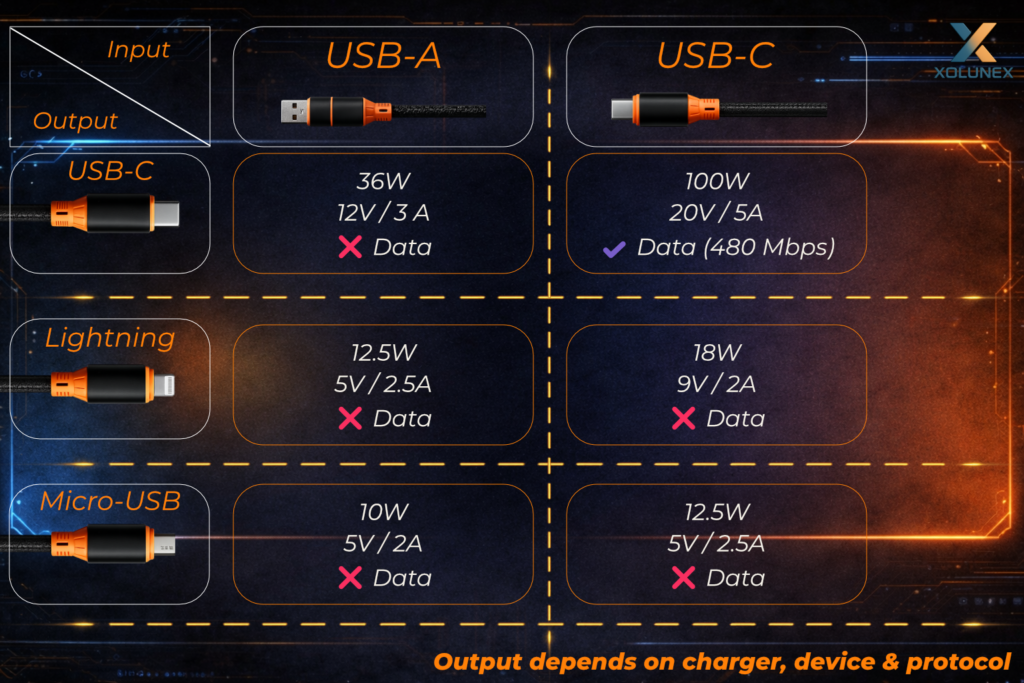
Das nebenstehende Schema zeigt exakt, wie sich die Leistung je nach Verbindung The diagram shown explains exactly how performance actually behaves depending on the connection used:
- USB-C to USB-C:
up to 100W (20V / 5A) + data transfer (480 Mbps) - USB-A to USB-C:
up to 36W (12V / 3A), no data transfer - Lightning:
up to 12.5W – 18W depending on the combination - Micro-USB:
up to 10W – 12.5W
👉 The actually achievable performance always depends on the charger, end device, and charging protocol.
Technically transparent instead of simplified
Instead of just stating maximum values, we show:
- specific voltage and current ranges (Volt / Ampere)
- clear differences between connection types
- visible limitations depending on usage
- realistic performance values instead of ideal conditions
This turns a marketing claim into an understandable system.
Transparent usage instead of trial & error
The cable does not adapt “magically” to every situation, but follows clear technical rules. Through this explanation, you understand:
- which connection is required for maximum performance
- why USB-A is technically limited
- when data transfer is actually possible
- how different devices behave within the same setup
You don’t just understand that it works – but also why.
Realistic expectations instead of disappointment
Many cables basically work, but often not in the way people expect. That’s why Xolunex shows from the beginning:
- what is technically possible
- under which conditions it works
- where the limits are
The result is not a “surprise effect,” but a predictable, stable charging behavior in everyday use.
🧩 Chapter 2 – One cable, multiple devices
Introduction – More than just “charging multiple devices at the same time”
A multi-charging cable offers a clear advantage:
You can connect and power multiple devices at the same time – without needing multiple cables or chargers.
In everyday use, this is extremely practical:
Laptops, smartphones, and accessories can be charged simultaneously – whether at the office, on the go, or at home.
What is often overlooked:
The available power is not multiplied, but distributed.
A cable cannot generate additional energy.
It only distributes the available power across multiple devices.
This means:
As soon as multiple devices are connected, the charging power of each individual device automatically changes.
2.2 Influencing factors – How power is distributed across multiple devices
The actual charging performance with multiple devices depends on several factors:
⚡ Total power of the charger
The charger always defines the maximum total output, for example:
- 100W charger = maximum 100W total output
- 65W charger = maximum 65W total output
👉 This power is distributed across all connected devices.
The cable ensures that this total power is not exceeded, but it cannot increase it.
🔌 2. Number of connected devices
The more devices are connected at the same time, the more the available power is distributed.
- 1 device:
→ maximum performance available - 2 devices:
→ power is distributed - 3 devices:
→ further reduction per device
The system always distributes the available energy across all active connections.
📱 3. Power demand of the devices
Not every device requires the same amount of energy.
Typical differences:
- Laptop → higher power demand
- Smartphone → mid-range
- Accessories (headphones, power banks, etc.) → lower demand
The system automatically adjusts the distribution.
Devices with higher demand draw more power, while smaller devices receive correspondingly less.
🔁 4. Dynamic adjustment during use
Power distribution is not static, but constantly changing.
Examples:
- one device becomes fully charged → other devices receive more power
- another device is connected → power is redistributed
- a device reduces its demand → power shifts automatically
The entire system reacts dynamically to the current usage situation.
🔗 5. Influence of the connection combination
Here, too, the connection used plays a role.
Depending on the combination of:
- USB-C
- USB-A
- and the connected devices
the technically achievable output per port changes.
This means:
Not every combination delivers the same performance – even when using the same charger.
2.3 What many manufacturers get wrong or fail to explain
When it comes to charging multiple devices, false expectations often arise because important relationships are not explained.
Typical problems:
- Multi-device charging is presented as “full power at the same time”
- Power distribution is not explained
- The influence of the charger and end device is ignored
- No clear guidance on the real-world use of multiple devices
The result:
All devices are charging – but often significantly slower than expected, without a clear explanation why.
2.4 What Xolunex does better
Xolunex does not only show that performance changes, but also how it actually behaves in real-world use.
While many manufacturers only advertise maximum values like “100W,” we make it clear under which conditions this performance is actually achieved and how the cable behaves in different usage scenarios.
🔍 Clear performance values instead of marketing promises
The actual charging performance, as explained earlier, always depends on the interaction between charger, device, connection, and usage.
That’s why we deliberately show concrete values for real scenarios:
- USB-A (input):
→ USB-C: up to 36W (12V / 3A)
→ Lightning: up to 12W (5V / 2.4A)
→ Micro-USB: up to 10W (5V / 2A)
→ Multiple devices simultaneously: approx. 5V / 3.3–3.5A total (distributed) - USB-C (input):
→ USB-C: up to 100W (20V / 5A)
→ Lightning: up to 18W (9V / 2A)
→ Micro-USB: up to 12.5W (5V / 2.5A)
→ Multiple devices simultaneously: approx. 5V / 3.5A total (distributed)
👉 This makes it immediately clear: Not every connection delivers the same performance – and this is exactly what is often not explained.
⚙ Realistic representation instead of “up to” claims
Xolunex does not only present the maximum possible performance, but also shows transparently how the cable actually behaves in everyday use.
A clear distinction is made between theoretical maximum values and real-world usage:
- Full performance is only achievable under optimal conditions and with single-device use
- When multiple devices are connected, power is automatically distributed
- Actual performance dynamically adapts to the overall system of charger, device, and connection
👉 This avoids false expectations and instead creates understandable and realistic results in daily use.
🔗 Transparency across all usage scenarios
Xolunex clearly shows how the cable behaves under different conditions, instead of only highlighting maximum values.
This includes a clear explanation of:
- which connections enable maximum performance
- which combinations are technically limited
- how performance changes during multi-device use
All relevant information is communicated fully and clearly. There are no hidden limitations, no unclear specifications, and no marketing claims without technical context.
🎯 What this means for you
This transparent approach ensures that actual performance in everyday use can be better understood and used more effectively.
- Your setup can be optimally matched to your own devices
- Unexpected slow charging is avoided
- Available power is used exactly within the technical limits
This creates not just a theoretical performance claim, but a system that works reliably, stably, and predictably in real-world use.
🧩 Chapter 3 – Charging vs. Data Transfer: Why both don’t always work at the same time
Introduction – Two functions, one cable
A modern USB cable can do far more today than just transfer power.
It performs two key tasks at the same time:
👉 transferring energy (charging) and transferring data (e.g. files, updates, connections).
In everyday use, this seems obvious – plug it in and both work in parallel.
In reality, however, it is technically much more complex.
A cable is not an unlimited system.
It has defined internal paths and resources that are used for both power and data.
👉 This is the key point:
Charging and data transfer share the same infrastructure.
As soon as multiple devices are connected or higher charging performance is required, the system automatically prioritizes stable power delivery.
3.1 Influencing factors – Why charging and data affect each other
For charging and data transfer to work reliably, multiple technical factors must interact.
🔄 Shared use of internal lines
A cable only has a limited number of internal lines, which are used simultaneously for both power and data.
👉 This means:
More focus on data transfer → reduced charging performance
More focus on charging performance → less capacity for stable data
⚡ Prioritization within the system
With multi-cables, the design is primarily focused on safe and stable charging.
👉 As soon as multiple devices are connected:
- the data function is reduced or deactivated
- the available power is fully allocated to charging
💻 Stable data transfer requires clear conditions
For a reliable connection (e.g. USB 2.0 with up to 480 Mbps), the following applies:
- only one active data device should be connected
- parallel charging processes can affect stability
- multiple ports used at the same time often lead to limitations
👉 That’s why data transfer works most reliably in single-device operation.
🔌 Difference between computer and charger
The behavior of the cable strongly depends on where it is connected:
- Computer / Laptop
→ focus on data transfer - Charger / Power supply
→ focus on energy delivery
👉 If both are combined, conflicts can occur.
🔁 Automatic switching during operation
The system inside the cable adapts dynamically to usage:
- Data mode
→ stable connection, reduced charging performance - Charging mode
→ maximum power transfer, data function limited
👉 This happens automatically – without any manual interaction required.
3.2 What many manufacturers get wrong or fail to explain
Many cables are presented as if charging and data transfer always work seamlessly in parallel.
What is often not explained:
- dass beide Funktionen sich technisch beeinflussen
- dass Mehrfachnutzung die Datenübertragung einschränken kann
- dass stabile Datenübertragung klare Bedingungen benötigt
👉 Ergebnis:
Verbindungsabbrüche, instabile Übertragung oder unerwartetes Verhalten im Alltag.
3.3 What Xolunex does better
Xolunex is not based on simplified assumptions, but on how the system actually behaves in real-world use.
A clear distinction is made between two usage scenarios: data transfer in single-device operation and power delivery during multi-device use.
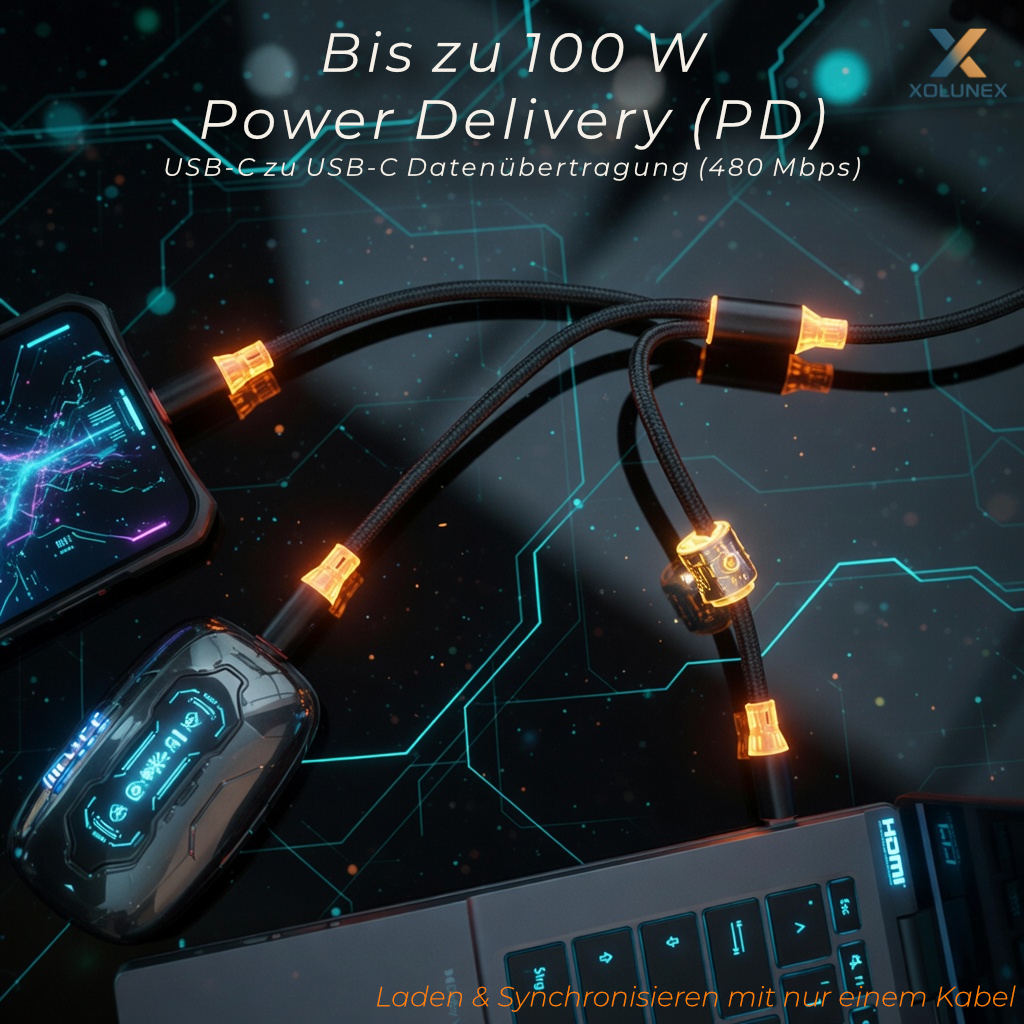
This means in practice:
- Power delivery is systemically prioritized
- Data transfer can be limited or temporarily deactivated in such situations
- Changes during operation (e.g. additional connected devices) lead to an automatic adjustment of power distribution
This control is not a limitation, but serves stability and safety during operation.
Additionally:
Stable data transfer (up to 480 Mbps / USB 2.0) is reliably possible when the cable is used specifically in data mode – for example when connected to a computer and using a single output.
As soon as multiple devices are connected at the same time, the available power is automatically distributed and the system prioritizes power delivery.
In this case, the data function may be reduced to ensure a stable and safe power supply for all connected devices.
The cable dynamically adapts to the respective usage situation – both when devices are added or removed and when switching between data and charging modes.
Xolunex deliberately makes these relationships transparent and understandable.
Instead of suggesting unlimited parallel functionality, it clearly shows under which conditions which function takes priority.
👉 The result is a system that works predictably, stably, and technically transparent in everyday use.
🧩 Chapter 4 – E-Marker & Charging Protocols: Why not every cable can truly deliver “100W”
Invisible technology with a decisive impact
Modern charging cables today differ not only in connectors or materials, but above all in the integrated technology inside. In the past, a cable was simply a basic connection between two devices. Today, it plays a much more important role:
It must transfer power, recognize devices, communicate with the charger and end device, and ensure safety at the same time. Especially at higher power levels such as up to 100W (20V / 5A), a simple cable is no longer sufficient. This level of performance does not occur automatically, but must be actively negotiated between the devices.
This is exactly where the so-called E-Marker chip comes into play. It is an integrated component inside the cable that ensures power is correctly released, controlled, and monitored.
Without this coordination, performance is automatically limited – even if all components would theoretically be capable of more.
4.2 Influencing factors – How power is technically enabled
In order for high charging performance to be possible at all, multiple technical components must work together precisely.
Modern fast charging is not based on “more current,” but on active communication between:
- charger
- cable
- end device
Through USB Power Delivery (PD 2.0 / 3.0), the following parameters are negotiated:
- voltage (e.g. 5V / 9V / 12V / 20V)
- current (up to 5A)
- resulting power
Only after this coordination is the maximum performance released.
⚡ Role of the E-Marker chip in the cable
The E-Marker chip is the central control instance within the cable itself and fulfills several key functions:
- indicates the maximum supported power of the cable
- enables higher current levels (e.g. 5A for 100W)
- supports communication within the system
- prevents overload and misconfiguration
Without an E-Marker, many cables are technically limited to lower power levels.
🔒 Safety and controlled power delivery
Power is not simply “passed through,” but actively monitored:
- protection against overcurrent and overvoltage
- stable voltage ranges
- safe operation even with high-performance devices
This not only optimizes performance, but also ensures the safety and longevity of the devices.
🔌Connection type as the technical foundation
The achievable performance strongly depends on the connection used:
- USB-C to USB-C
→ full functionality including Power Delivery and high performance (e.g. 100W / 20V / 5A) - USB-A to USB-C
→ technically limited, no true Power Delivery
→ use of alternative fast-charging protocols (e.g. QC, AFC)
The connection type directly determines which technology can actually be used.
📱Interaction with charger and end device
Even with an optimal cable, the following still applies:
- the charger determines the available power
- the end device determines how much of it is actually used
The E-Marker ensures that this power is correctly transmitted – not that it is generated.
4.3 What many manufacturers get wrong or fail to explain
Especially with technical topics such as fast charging, information is often heavily simplified or deliberately incomplete.
Typical problems:
- “100W” is presented as a fixed output, without explaining the required conditions
- Cables without E-Marker are still marketed as high-performance
- Differences between USB-A and USB-C are not clearly explained
- Charging protocols are mentioned but not explained in a clear and understandable way
- Safety aspects are not addressed
Result:
Expectations do not match reality – performance, stability, and behavior become unpredictable.
4.4 What Xolunex does better
Xolunex does not rely on simplified claims, but on the actual technical behavior of modern charging systems.
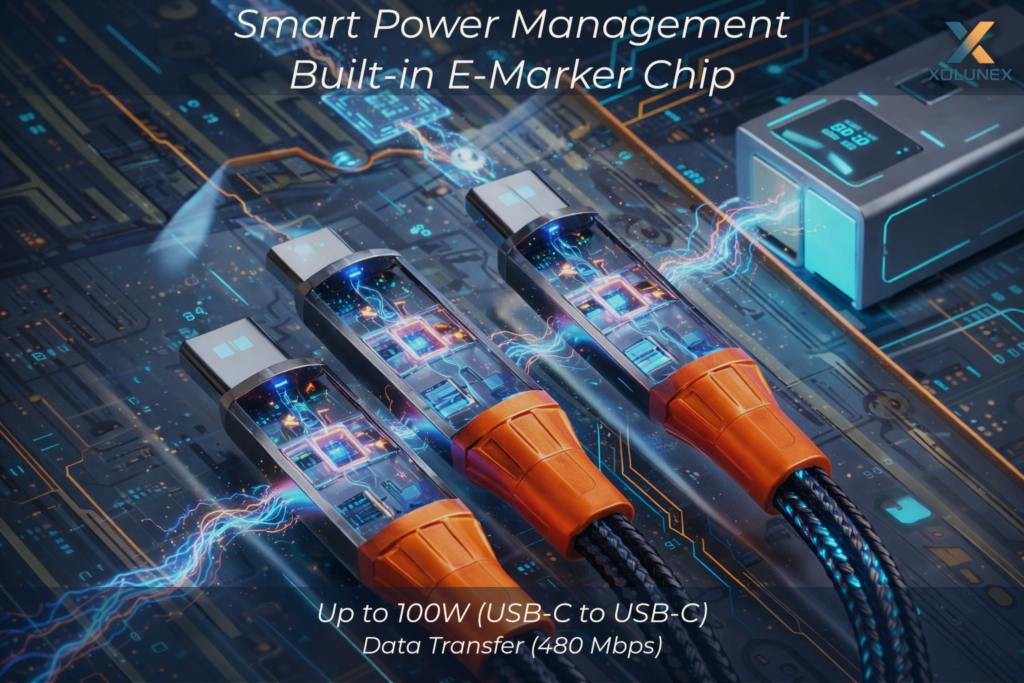
This means in practice:
- integrated E-Marker chip for controlled power delivery
- support for USB Power Delivery (PD 2.0 / 3.0)
- designed for up to 100W (20V / 5A) via USB-C to USB-C
- clear differentiation between USB-C and USB-A usage
- safe and stable power transmission under real-world conditions
Power delivery is not static, but dynamic through the interaction of all components.
The cable recognizes connected devices, communicates with them, and ensures that power always remains within a technically optimal and safe range.
👉 Instead of theoretical maximum values, this creates a system that works reliably, stably, and predictably in everyday use.
Downloads
All official documents and certifications for this product can be found at the following link: